Nimble Smart Wallet
A cryptocurrency wallet for new crypto enthusiasts — built around trust and learning, not feature breadth.
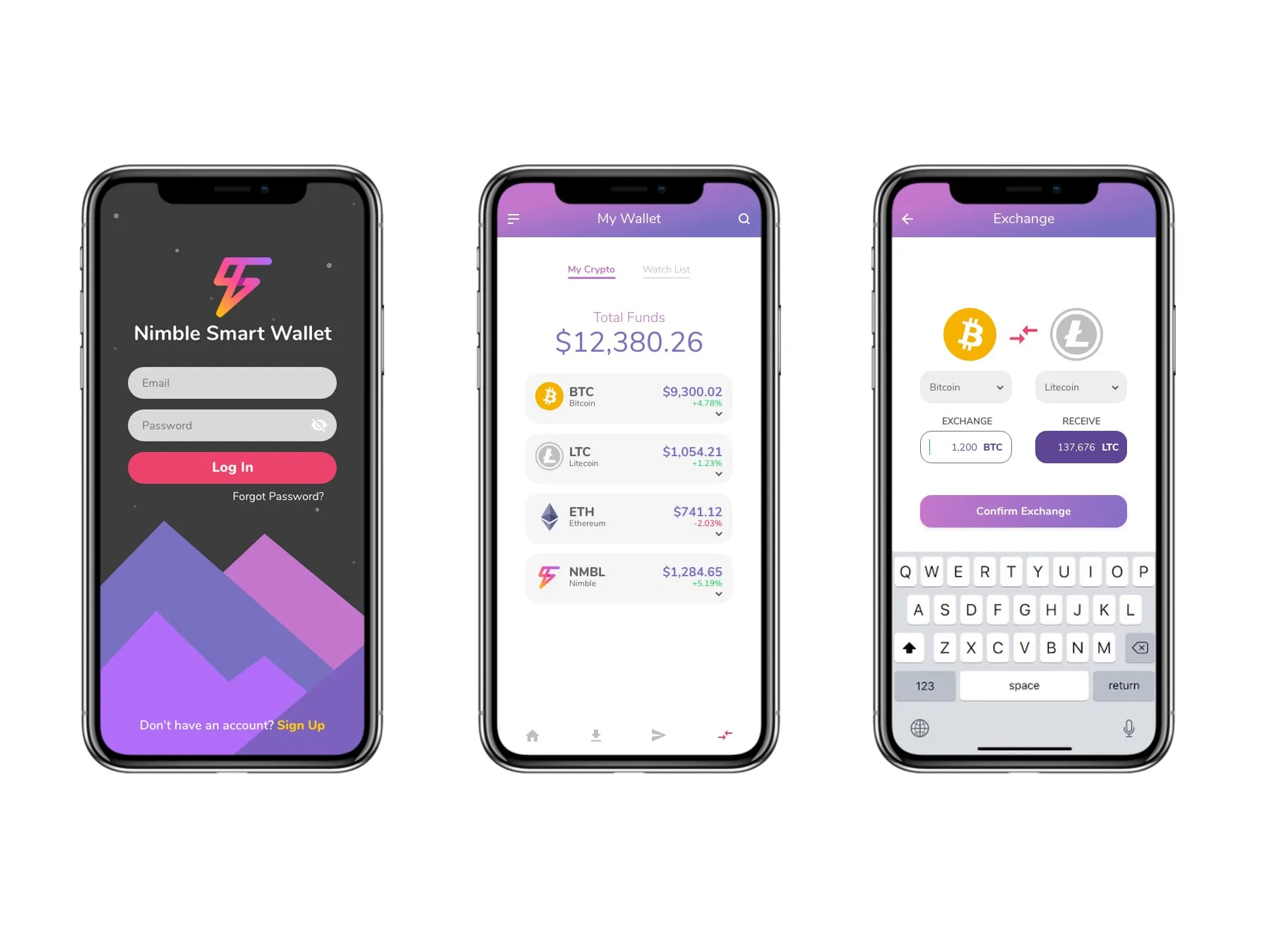
Context
Nimble Smart Wallet (NSW) was a 2018 cryptocurrency wallet built for new crypto enthusiasts — people active with crypto for less than a year, looking for a single trusted app to manage multiple currencies. The product brief was to support multi-currency wallet functionality (Bitcoin, Litecoin, Ethereum, Monero, and Nimble’s own NMBL token), partner integration, a built-in news feed, and an in-app learning module — Nimble University — where users could complete classes and earn NMBL tokens for engagement.
The category was crowded — Jaxx, Exodus, BRD, Coinomi, Ledger Nano S, and Monero GUI all competing for the same enthusiast user. The design challenge wasn’t feature breadth. It was finding a position that new users could trust.
Research and discovery
The engagement opened with a structured research phase before any visual design was considered. Three streams ran in parallel: stakeholder interviews to understand business goals, a strategy canvas benchmarking NSW against six competitors across security, trust, learning curve, ease of use, distinctiveness, and multi-currency support, and ten user interviews — three with internal stakeholders and seven with potential users — covering prior wallet experience, motivation, feature priorities, and onboarding expectations.
The strategy canvas surfaced the actual gap. Established competitors clustered around security and multi-currency strength. New-enthusiast needs — clear onboarding, low learning curve, trust through guidance rather than just security claims — were under-served. NSW could position there.
A card sorting exercise with five users prioritized features by importance. Send/receive ranked first, privacy second, “secure process to inform a scam” third. The in-app university — the most novel feature in the brief — sorted near the bottom: useful but not the primary draw. That informed a hierarchy decision: build the wallet experience first, surface the university as supporting content, not as a front-door feature.
Three personas were developed from the interview synthesis — a businessman investing monthly with security as priority, a freelance traveler exchanging local currency, and a student making his first careful investments. Journey maps for each made the emotional arc visible: confusion at the start, anxiety mid-journey, relief at first successful transaction.
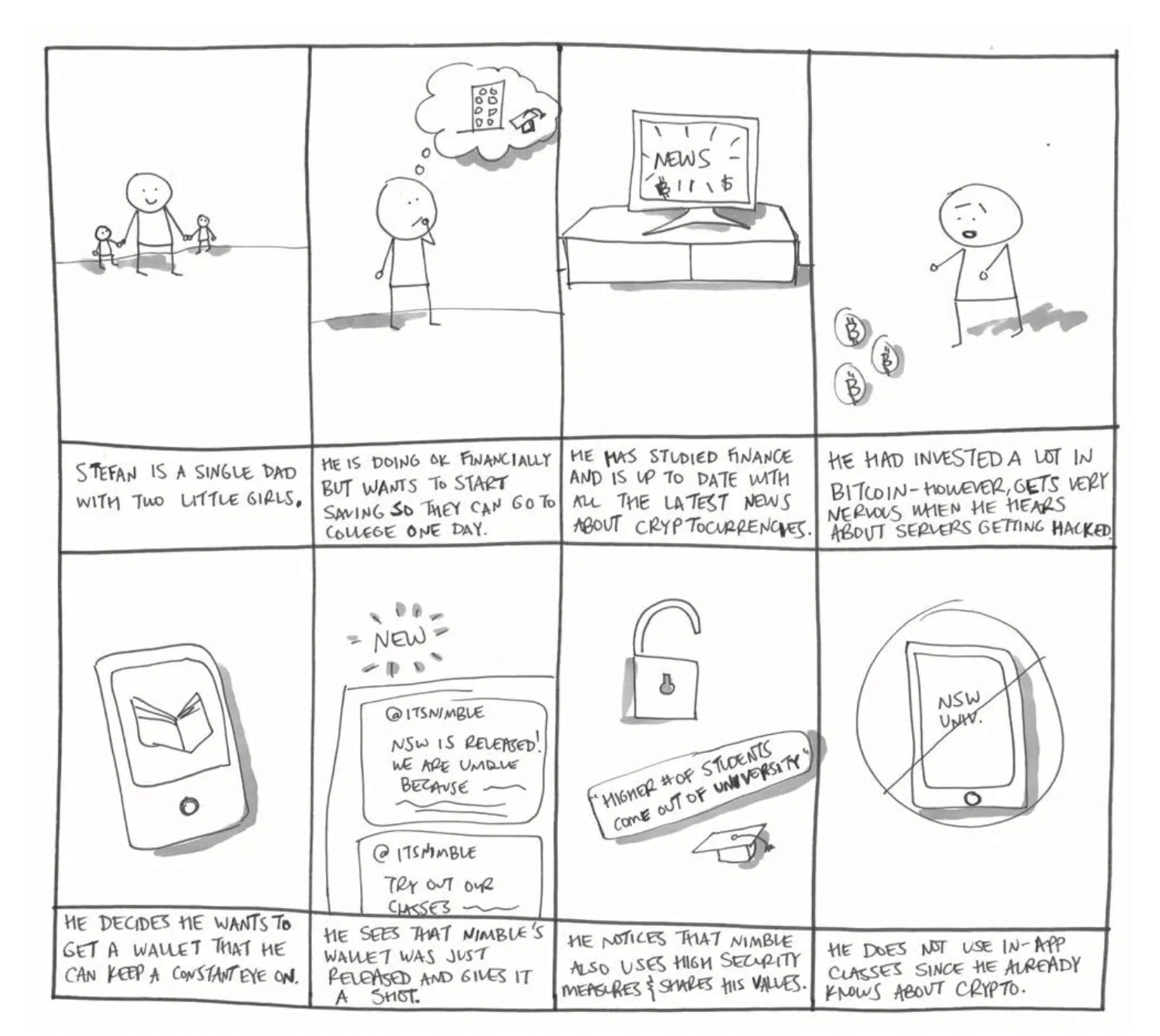
Full deliverable: Download the UX Research Report (PDF, 27 pages) — strategy canvas, value proposition canvas, journey maps for all three personas, and five storyboards in their original form.
Solution — information architecture
The IA mapped the entire app as a single connected flow before any final screens shipped. Two architectural decisions came directly from research findings.

The wallet simulator. Interview data showed new enthusiasts didn’t trust their first wallet decision — they wanted to rehearse before committing real currency. The IA gave them a separate path from the landing screen: “New to crypto? Want to try it first? Give our Wallet Simulator a shot.” The simulator runs the full wallet experience with mock data, then offers a clean transition to a real account once the user is comfortable. Onboarding without commitment. The most distinctive design decision in the project, and the one that translated research most directly into an architectural call.
The Report a Scam surface. Card sorting put scam-protection as the third-highest user priority — above multi-currency support, exchange flows, and the university feature. Most wallet apps bury reporting under FAQ or Support menus. Surfacing Report a Scam as a top-level item in the secondary menu — visually distinct (red, isolated at the bottom of the menu list) — translated the research finding into the IA. Users who needed to report a scam would not have to hunt for it.
Beyond those two decisions, the architecture covered the standard wallet surfaces: send/receive/exchange/sell/buy as discrete entry points (each with QR scanning and explicit confirmation), watched-list and owned-tokens as separate tabs in the main wallet view, and NMBL University as a dedicated module in the secondary menu rather than a feature competing with the wallet itself.
Solution — visual direction
Three visual directions were explored to land the visual language. Each tested a different positioning hypothesis.
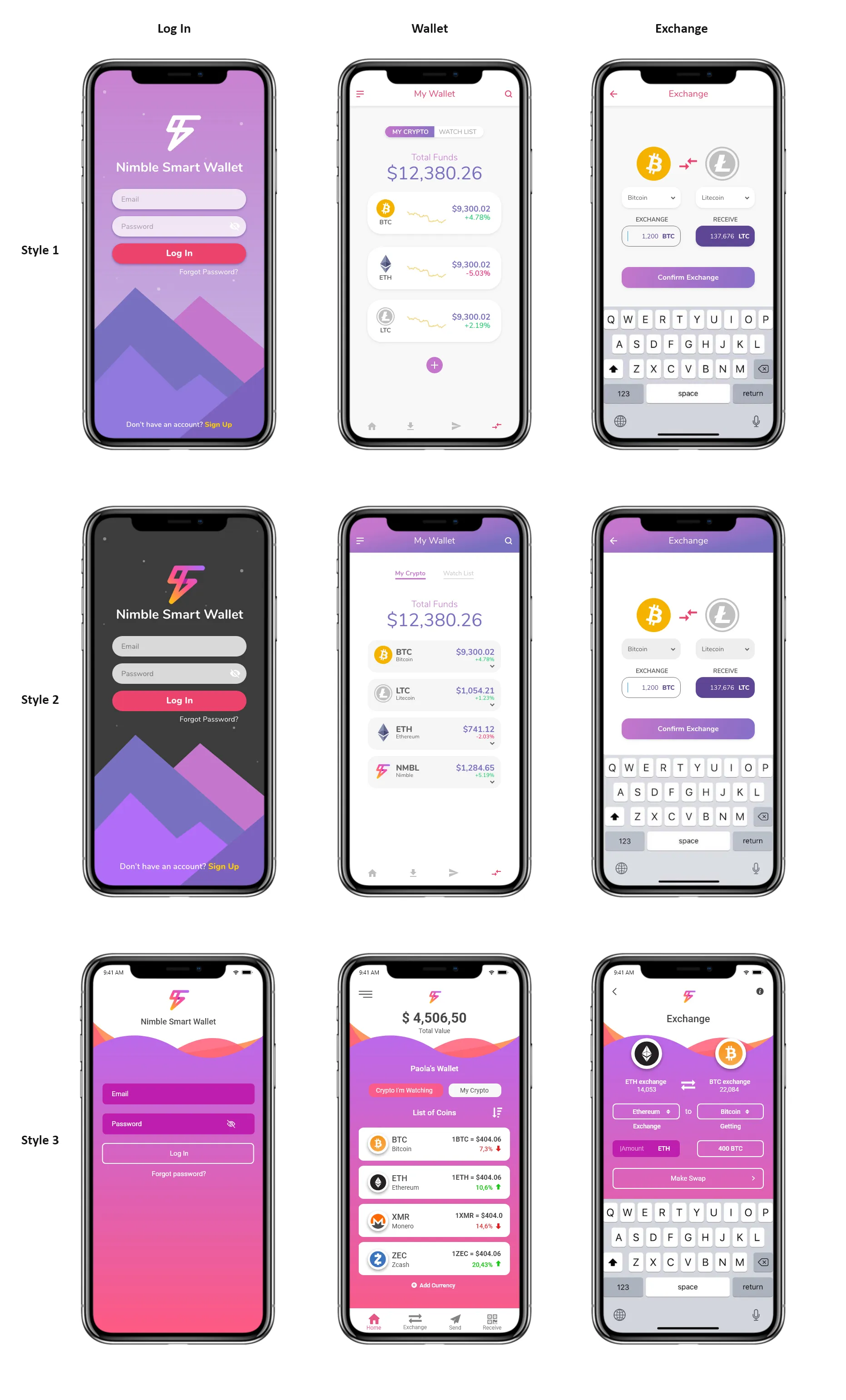
Style 1 carried a saturated purple-pink gradient throughout, with a stylized mountain illustration anchoring the login screen. Read as energetic and modern, but felt heavy across full-app contexts.
Style 2 split the visual register — a darker, calmer login screen that signaled security at the trust-critical entry point, with lighter wallet and exchange surfaces designed for everyday use. The security-first reading at login addressed the core anxiety the research had surfaced, without overwhelming the rest of the experience.
Style 3 took the gradient further — a fully saturated pink-to-purple treatment with wave illustrations. Distinctive, but pushed too far toward consumer-app friendliness for a product asking users to trust it with their money.
Style 2 was the chosen direction.
Outcome
The research, design proposals, and final architecture shipped to the Nimble engineering team for build-out. The strategy canvas, persona model, IA map, and Style 2 visual direction informed the implementation that followed.
Reflection
Two things from this engagement carried forward into later work. First, the strategy canvas method — benchmarking the product against named competitors on user-meaningful axes — surfaces positioning gaps that interview data alone misses. The card sorting and persona work told us what users wanted; the strategy canvas told us where competitors were already meeting those needs and where the opening was. Both were necessary.
Second, in a category dominated by anxiety (will my money be safe, will I lose value, am I being scammed) the trust signal isn’t a security badge or a feature list — it’s the visual register at the moment a user first opens the app, plus the architectural decisions that put high-anxiety paths within reach. Style 2 won not because it was prettier, but because the dark login carried the security register the research said the user needed. The wallet simulator won because rehearsal was the unblocker for first-time users. The Report a Scam surfacing won because anxiety doesn’t wait for users to dig into a support menu.
Preneurs.ai →
An AI fundraising co-pilot for founders, built around the activation problem: founders don't understand the value of pitch feedback until they see it.